> ## Documentation Index
> Fetch the complete documentation index at: https://buildwithglue.com/docs/llms.txt
> Use this file to discover all available pages before exploring further.
# CLI Reference
> Complete reference for Glue CLI commands
# CLI Reference
## `glue init`
Initialize Glue in your project.
```bash theme={null}
glue init
```
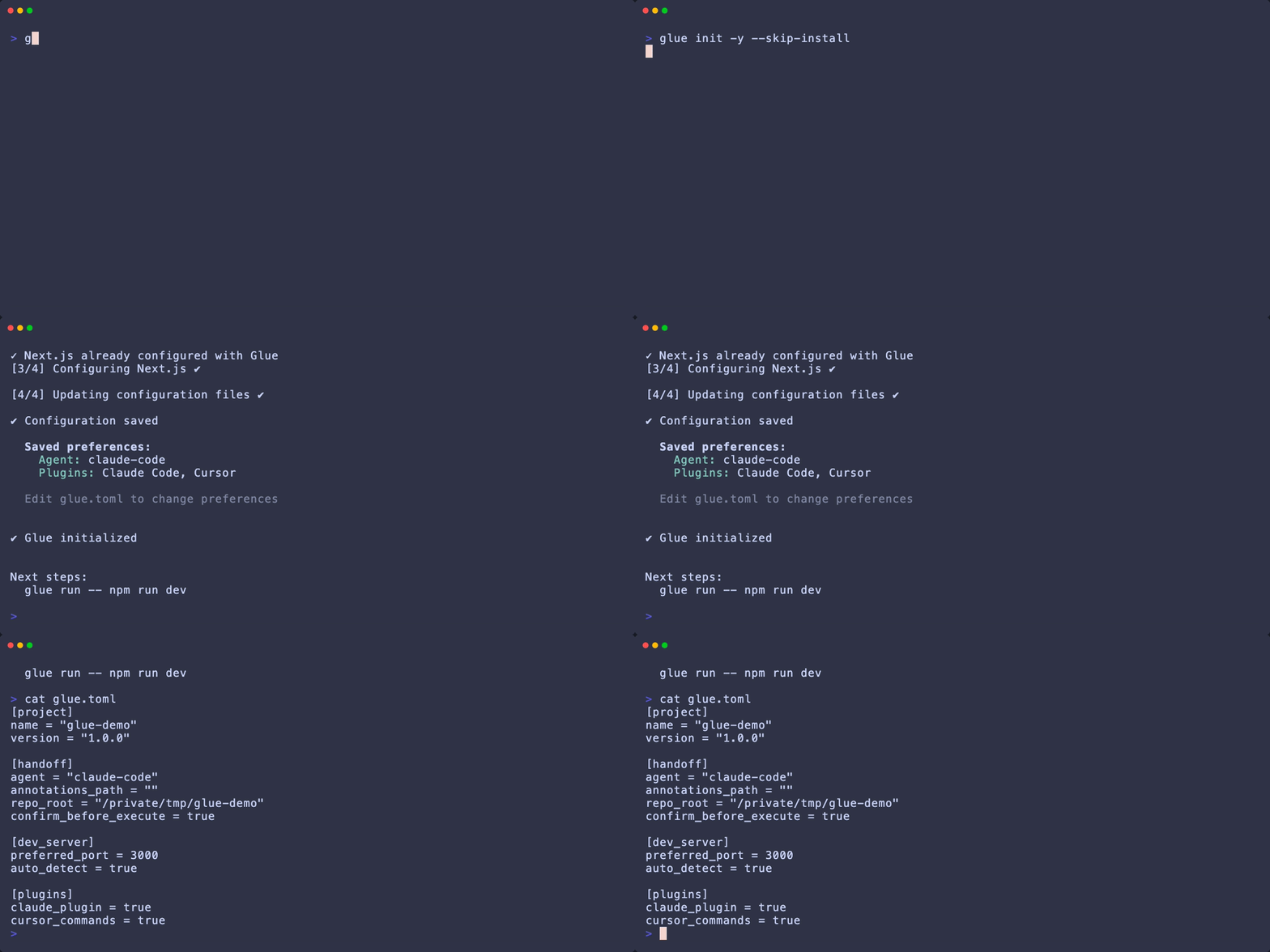 Detects your framework (Next.js or Vite) and package manager, creates `.glue/` directories, configures your bundler, and adds required packages to `devDependencies`.
**Options:**
* `--install` — Auto-install dependencies without prompting
* `--skip-install` — Skip dependency installation
* `--claude-plugin` — Create Claude Code plugin files
* `-f, --force` — Overwrite existing files
***
## `glue run`
Run a dev command with Glue instrumentation.
```bash theme={null}
glue run
```
Detects your framework (Next.js or Vite) and package manager, creates `.glue/` directories, configures your bundler, and adds required packages to `devDependencies`.
**Options:**
* `--install` — Auto-install dependencies without prompting
* `--skip-install` — Skip dependency installation
* `--claude-plugin` — Create Claude Code plugin files
* `-f, --force` — Overwrite existing files
***
## `glue run`
Run a dev command with Glue instrumentation.
```bash theme={null}
glue run
```
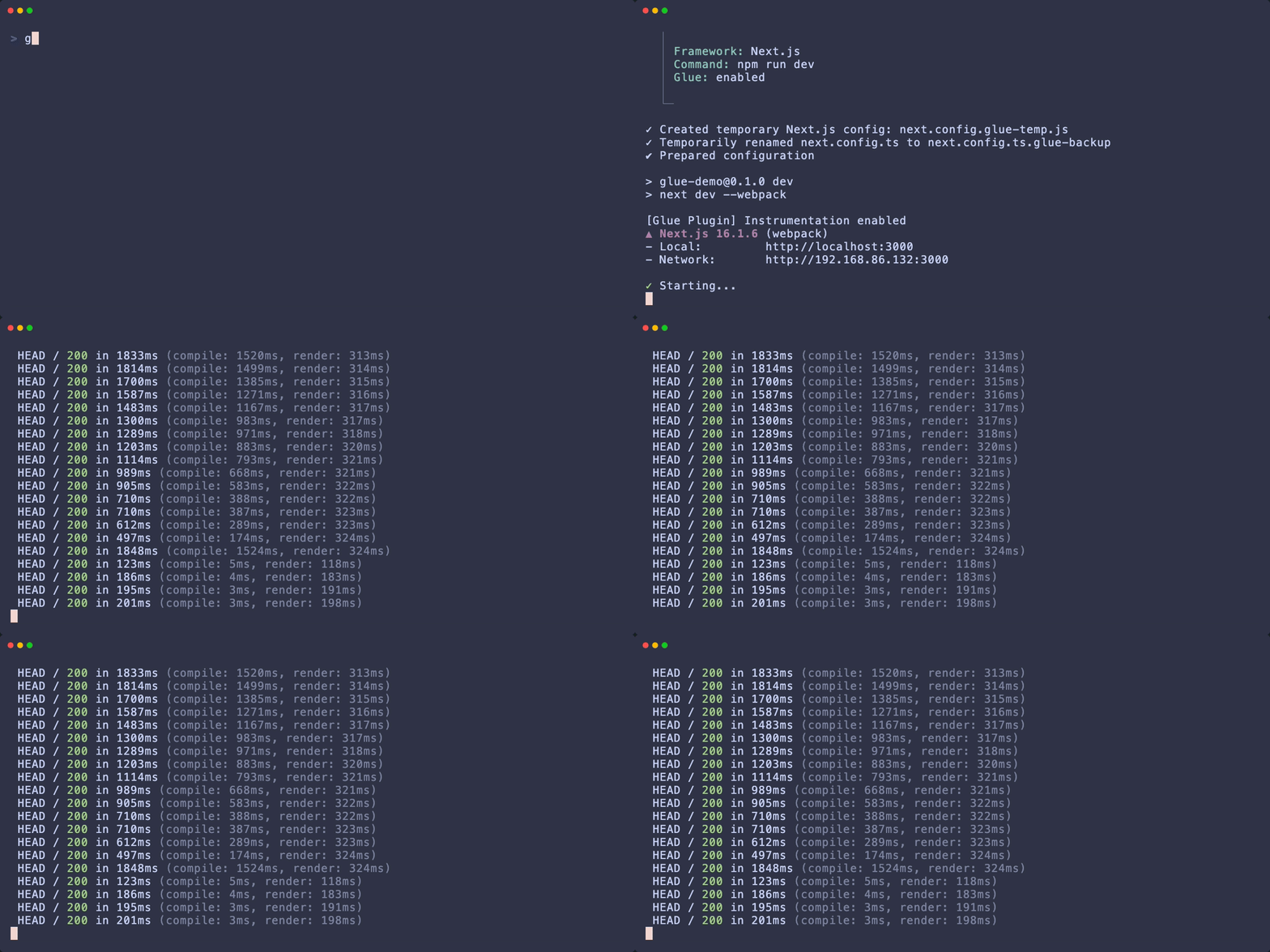 Sets `GLUE_INSTRUMENT=1`, starts your dev server, detects the port, and auto-opens the Glue desktop app.
```bash theme={null}
glue run npm run dev
glue run yarn dev
glue run pnpm dev
```
**Options:**
* `-f, --framework ` — Force framework (next, vite)
* `--no-auto-detect` — Disable framework auto-detection
**Next.js 16+:** Automatically forces webpack mode (Turbopack doesn't yet support jsx-runtime aliasing).
**Port Detection:** Checks `PORT` env var, then scans common ports (3000, 3001, 5173, 8080, etc.).
***
## `glue open`
Launch the Glue desktop app.
```bash theme={null}
glue open
```
**Options:**
* `--info` — Display app information without launching
* `--port ` — Connect to specific port
* `--url ` — Connect to specific URL
* `--no-detect` — Skip auto-detection
***
## `glue handoff`
Export annotations and optionally launch Claude Code.
```bash theme={null}
glue handoff
```
Sets `GLUE_INSTRUMENT=1`, starts your dev server, detects the port, and auto-opens the Glue desktop app.
```bash theme={null}
glue run npm run dev
glue run yarn dev
glue run pnpm dev
```
**Options:**
* `-f, --framework ` — Force framework (next, vite)
* `--no-auto-detect` — Disable framework auto-detection
**Next.js 16+:** Automatically forces webpack mode (Turbopack doesn't yet support jsx-runtime aliasing).
**Port Detection:** Checks `PORT` env var, then scans common ports (3000, 3001, 5173, 8080, etc.).
***
## `glue open`
Launch the Glue desktop app.
```bash theme={null}
glue open
```
**Options:**
* `--info` — Display app information without launching
* `--port ` — Connect to specific port
* `--url ` — Connect to specific URL
* `--no-detect` — Skip auto-detection
***
## `glue handoff`
Export annotations and optionally launch Claude Code.
```bash theme={null}
glue handoff
```
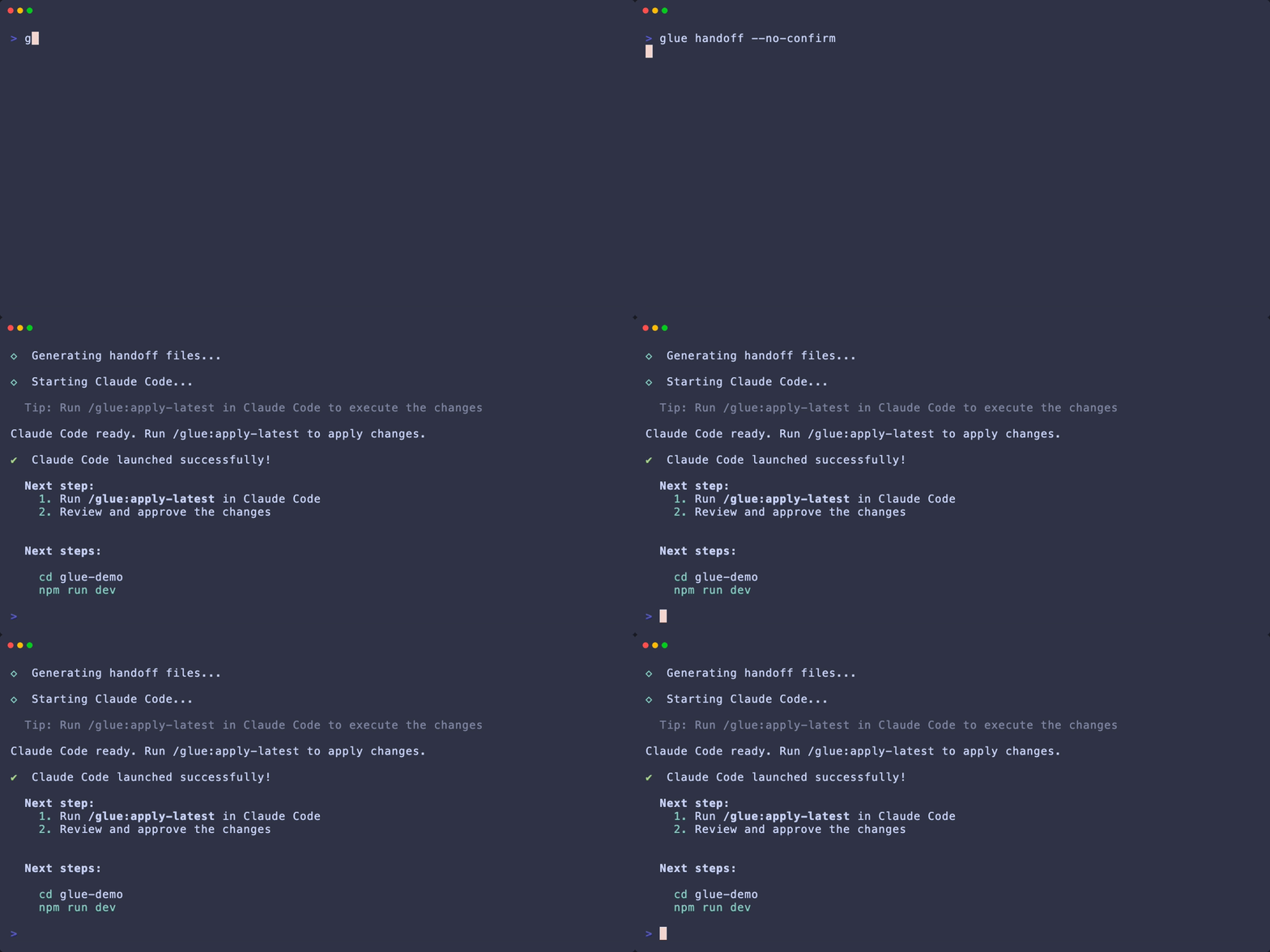 Auto-detects repo root and annotations, then generates handoff files.
**Options:**
* `-a, --agent ` — Coding agent: `claude-code`
* `-r, --repo-root ` — Repository root (auto-detected)
* `--annotations-path ` — Custom annotations file location
* `--no-confirm` — Skip confirmation prompts
* `--claude-plugin` — Generate Claude Code plugin files
**Generated files:**
* `.glue/handoff/latest.md` — Human-readable spec
* `.glue/annotations/latest.json` — Machine-readable data
* `.glue/claude-plugin/` — Claude Code plugin (with `--claude-plugin`)
***
## `glue config`
View or edit `glue.toml` configuration.
```bash theme={null}
glue config --show # View current config
glue config --edit # Open in editor
glue config --reset # Reset to defaults
```
Auto-detects repo root and annotations, then generates handoff files.
**Options:**
* `-a, --agent ` — Coding agent: `claude-code`
* `-r, --repo-root ` — Repository root (auto-detected)
* `--annotations-path ` — Custom annotations file location
* `--no-confirm` — Skip confirmation prompts
* `--claude-plugin` — Generate Claude Code plugin files
**Generated files:**
* `.glue/handoff/latest.md` — Human-readable spec
* `.glue/annotations/latest.json` — Machine-readable data
* `.glue/claude-plugin/` — Claude Code plugin (with `--claude-plugin`)
***
## `glue config`
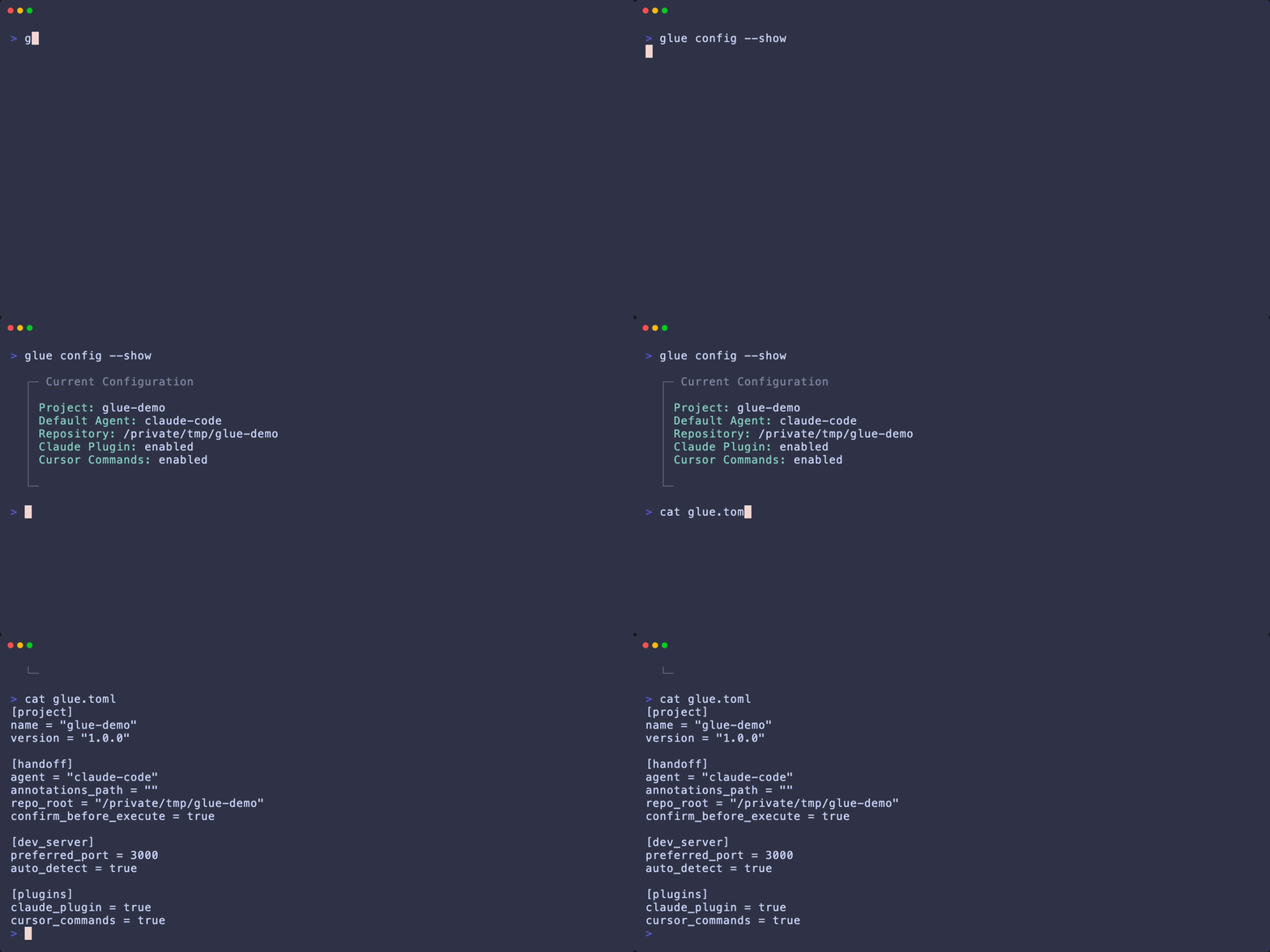
View or edit `glue.toml` configuration.
```bash theme={null}
glue config --show # View current config
glue config --edit # Open in editor
glue config --reset # Reset to defaults
```
 ***
## Environment Variables
| Variable | Description |
| ----------------- | ---------------------------------------------------------------------- |
| `GLUE_INSTRUMENT` | Set to `1` to enable instrumentation. Set automatically by `glue run`. |
| `GLUE_ENABLED` | Legacy alias for `GLUE_INSTRUMENT` (still supported). |
| `PORT` | Dev server port. Used by `glue run` for detection. |
| `NODE_ENV` | Glue disables when set to `production`. |
## Exit Codes
| Code | Meaning |
| ---- | ------------------- |
| 0 | Success |
| 1 | General error |
| 2 | Configuration error |
| 3 | App not found |
***
## Environment Variables
| Variable | Description |
| ----------------- | ---------------------------------------------------------------------- |
| `GLUE_INSTRUMENT` | Set to `1` to enable instrumentation. Set automatically by `glue run`. |
| `GLUE_ENABLED` | Legacy alias for `GLUE_INSTRUMENT` (still supported). |
| `PORT` | Dev server port. Used by `glue run` for detection. |
| `NODE_ENV` | Glue disables when set to `production`. |
## Exit Codes
| Code | Meaning |
| ---- | ------------------- |
| 0 | Success |
| 1 | General error |
| 2 | Configuration error |
| 3 | App not found |